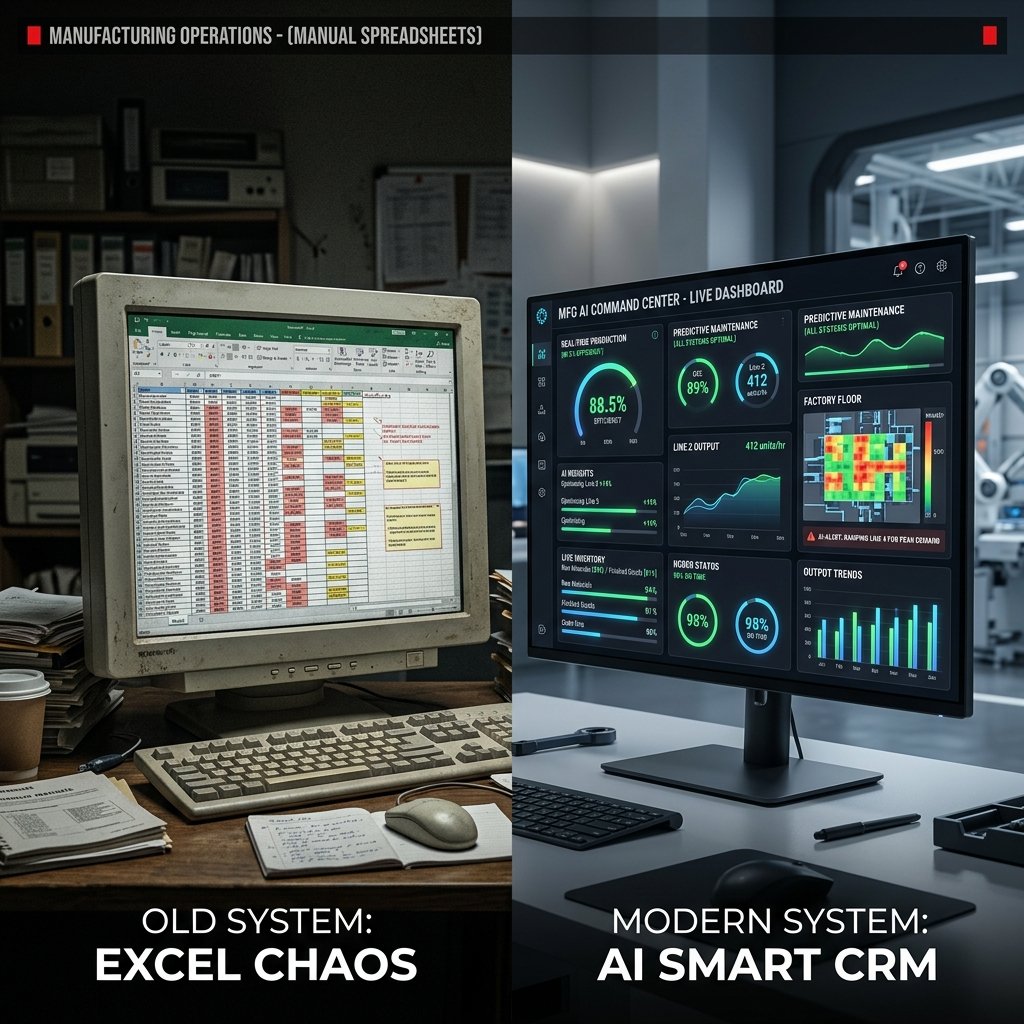
AI CRM vs Excel
Why Pune Manufacturers Are Switching
AI CRM vs Excel — Why Pune Manufacturers Are Switching

AI CRM vs Excel for Manufacturers

Manufacturing companies usually move from Excel to CRM when they realize the problem is not storing leads. It is managing response time, follow-up discipline, ownership, and visibility across the whole sales pipeline.

Excel feels cheap because the file already exists. But once missed follow-ups, duplicate records, and untracked WhatsApp conversations start affecting revenue, the spreadsheet becomes the most expensive part of the process.

What an Excel-based sales system usually looks like

For many Pune manufacturers, the Excel workflow is some variation of a master sheet plus personal reminders plus sales conversations living on individual phones.

  • One lead sheet with inconsistent status updates and multiple versions.
  • Follow-up reminders stored in personal phones instead of a shared system.
  • WhatsApp and call notes that never make it back into a central record.
  • No clean source tracking for website, trade fair, referral, IndiaMART, or ad leads.
  • No live view of total pipeline value or deal stage movement.

This setup can survive when a team manages a few dozen leads. It breaks once the company is handling a serious pipeline across products, territories, and salespeople.

STAT: The biggest Excel failure is not data storage. It is inconsistent follow-up. When follow-up depends on memory, good leads leak out of the pipeline.

How an AI CRM changes the process

A manufacturing CRM replaces manual tracking with a structured system that tells the team what happened, what should happen next, and which opportunities need attention first.

Lead capture and source tracking

Every new inquiry can enter the CRM with the source attached. That makes it possible to see whether Google, WhatsApp, dealer referrals, or exhibitions are actually producing qualified business.

Pipeline stage management

Instead of random status labels, the CRM gives each lead a defined stage such as new inquiry, qualified, sample requested, quotation sent, negotiation, and PO received. Management gets a live view of the pipeline instead of a monthly manual reconciliation exercise.

Automated follow-up and alerts

When a salesperson misses a task, the system does not forget. It reminds the owner, escalates to the manager if needed, and keeps follow-up quality from depending on individual discipline.

AI support for prioritization

AI CRM systems can score leads based on activity, response speed, revisit patterns, and engagement signals. That helps the team focus on the opportunities most likely to move.

What changes after manufacturers switch

Manufacturers moving from Excel to CRM usually see faster response time, better follow-up coverage, and clearer pipeline visibility within the first few months.

The operational improvement usually appears before the financial one. Teams stop losing context, management sees stalled deals earlier, and conversion improves because more leads receive the right follow-up at the right time.

When generic CRM is enough and when custom CRM makes sense

Platforms such as Zoho or HubSpot can work well when your sales process is straightforward. The challenge appears when manufacturing-specific workflows become important.

  • Sample request to approval to dispatch tracking.
  • Dealer versus distributor pricing logic.
  • Tally or ERP integration after PO receipt.
  • Export document stages and customer-specific compliance records.
  • Outstanding payment visibility against customer accounts.

If you need several of those from day one, a custom CRM usually performs better than forcing a generic platform to behave like manufacturing software.

Cost comparison over time

A generic CRM looks lighter upfront because pricing is monthly per user. A custom CRM costs more initially but gives you ownership, process fit, and no recurring license cost for the core system.

The right choice depends on team size, workflow complexity, and whether you want software that adapts to your process or a process that adapts to the software.
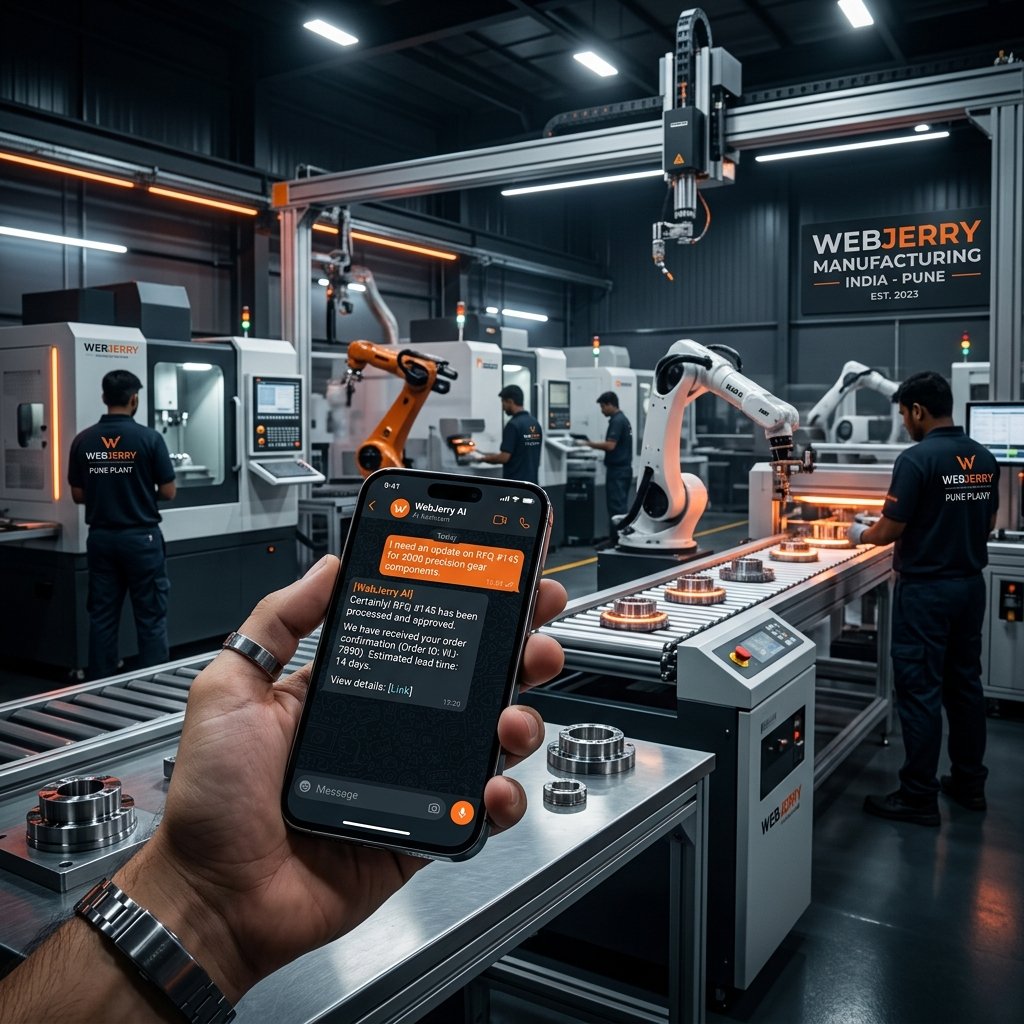
Call To Action: WebJerry Technologies builds custom AI CRM systems for Pune manufacturing companies, including WhatsApp integration, follow-up automation, and workflow design around real sales operations. Visit www.webjerry.com/ai-automation/ai-crm-automation or call +91-9130070722 for a free CRM scope assessment.
FAQs
Frequently Asked Questions About CRM for Manufacturing Companies
Yes — this is one of the most common integrations we build for manufacturing clients. When a PO is received in the CRM, the integration creates the corresponding accounting entry in Tally automatically. When an invoice is raised in Tally, the CRM updates the deal status. This eliminates double data entry and ensures accounting and sales records are always synchronised.
In our experience, a manufacturing sales team of 3-8 people is typically using the CRM comfortably within 3-4 weeks of go-live with proper training. The key is building the CRM around their actual workflow rather than asking them to change their workflow to match a generic platform. When the system reflects how they actually sell, adoption is significantly faster.
Yes — data migration is included in all our CRM development projects. We clean, format, and import your existing lead data, customer records, and contact information into the new system before go-live. You do not lose your history.
Yes. That is one of the most valuable parts of a modern CRM setup. Website forms, WhatsApp conversations, referral leads, and manual sales entries can all flow into one pipeline so the team is not managing separate sources in separate tools.
Selected Services
AI Automation
& Digital Growth
WebJerry Technologies, Pune
Building smart systems that sell, serve & scale.
  • info@webjerry.com

    Pune, India

    Configuration

    COLORS
    CUSTOM CURSOR